Sam Green - Welcome to my Teaching File
This site hosts my teaching evidence for the Teachers’ Standards as part of my PGCE at Roehampton. Each standard (S1–S8) has its own page with commentary and supporting documents.

Navigation
Use the TAB key on your keyboard to navigate, then press ENTER. To go backwards, press SHIFT and TAB.
Lessons plans are part of my Professional Notes.
For assessment records see School Information.
Site Security Policy
The site is hosted on AWS S3 with secure delivery via CloudFront.
Evidence files are stored privately in S3 and can only be opened with valid signed cookies.
View the site Security Policy to understand how data is protected.
Domain: pgce.samgreencomputing.com
"Teaching file" Defined
The University of Roehampton never explicitly define what they mean by "teaching file".
However, in an 80-page booklet promulgated to PGCE students, the "teaching file" is mentioned a number of times.
Notice how the booklet repeatedly uses the ambiguous term "mentor". It is ambiguous because it could refer to the school-based mentor (the teacher at the placement school that mentors the student teacher day to day) or the "lead mentor" (the contact at the university who provides leadership to the student teacher and school-based mentor).
Sadly, the booklet authors do not adopt a principle such as:
write out acronyms when they are used, to help readers learn the acronyms.This principle helps to make writing clear and readable. A rule of thumb to help with interpretation: when "mentor" is used it is the school-based mentor. The booklet is particularly concerning to us student teachers, as a device for communcicating, given that this is a professional teaching course. Some acronyms, such as SLITE and BSE, are so rarely used day-to-day that not following the principle seems especially harsh. Overall, the booklet is incredibly hard to make sense of.
The teaching file can be defined as a collection of documents, selected by the student teacher, for the purpose of providing evidence of the way they teach. The teaching file is supposed to be a tool—flexible—and submissive to our aim of creating a teacher. The meek teaching file.
I can infer from the Roehampton booklet four roles played by the teaching file:
- Material for the student teacher to draw on in written tasks assigned by their university. Also, they may draw on it when completing their Profile of Professional Development at the end of their experience at a paricular school.
- Evidence, for school-based mentors, of the student teacher capabilities and level of understanding. This may help the school-based mentor in their weekly meeting with the student teacher.
- Evidence, for the "lead mentor", to use in:
- Their assessment of the student-teacher, in cases when the lead mentor comes to the school to observe the student teacher and;
- their assessment of whether the student teacher meets the Teachers' Standards. If a person meets the Teachers' Standards, then they are more likely eligible for Qualified Teacher Status (QTS).
- A container for three things: the Declaration of Professionalism, all lessons plans (formally observed and not formally observed) and all LFRs. LFRs, or Lesson Feedback Records, are completed by the school-based mentor. Each subject—such as computing, music or mathematics—has its own specific LFR. Like when your dad puts his loafers on, paying attention to the feedback in LFRs means: we're about to go places.
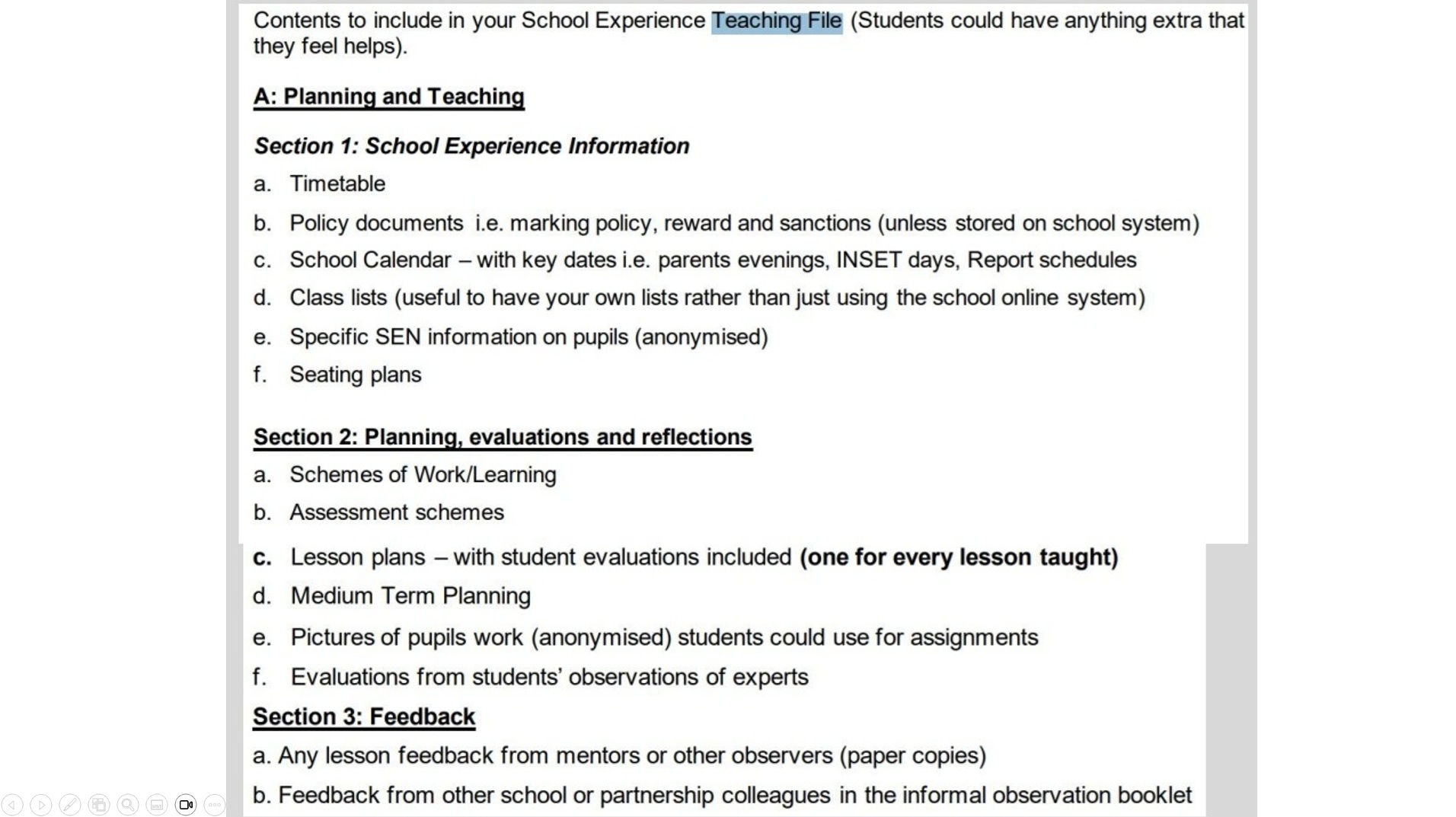
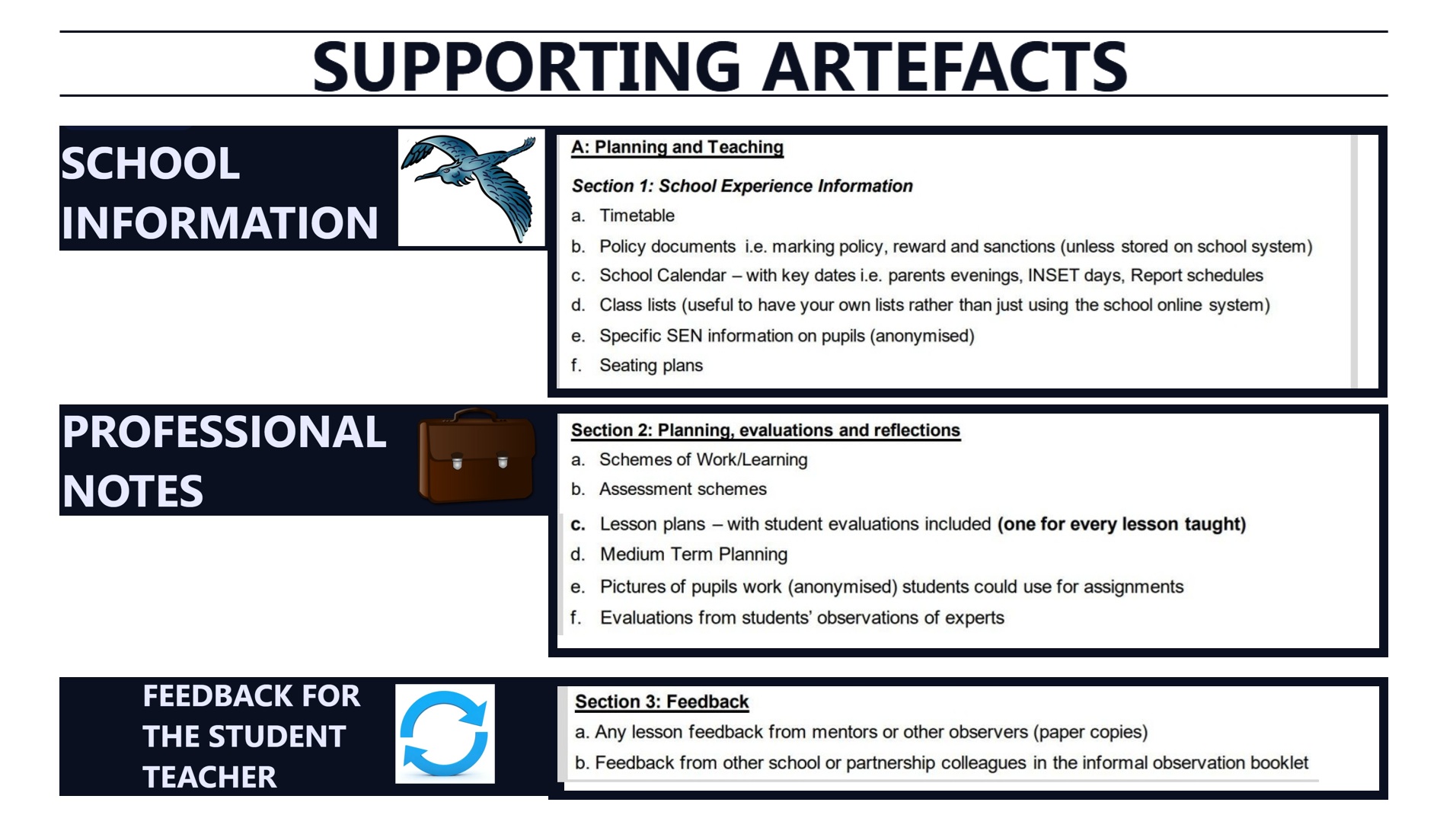
We might group the suggested supporting artefacts from the Roehampton booklet into three categories.
- School Information: seating plans, timetables for the school day, Special Educational Needs information about pupils, key dates for the school, policy documents.
- Professional Notes: assessment schemes, pictures of work by pupils, evaluations of experts, medium-term planning documents.
- Feedback for the Student Teacher: lesson feedback records (LFRs) completed by the school-based mentor or other professionals in the school, observations from other professionals, feedback for the student teacher from professionals in partnership schools.
Domain: pgce.samgreencomputing.com
Making sense of the Areas of Professional Development (APLs)
Roehampton University have their own framework called the Areas of Professional Development. There are five areas.
The idea seems to be that if a student teacher meets the APLs, then there is evidence that the student teacher meets the Teachers' Standards.
It is not clear to me why an intermediary framework is required, given that it is possible to directly assess a student teacher against the Teachers' Standards.
All five of the Areas can be seen to have a analogue in the Teachers' Standards: Professional Behaviours maps onto TS8 Fulfil Wider Professional Responsibilities;
Pedagogy maps onto TS4 Well Structured Lessons;
Curriculum maps onto TS3 Good Subject Knowledge;
Assessment maps onto TS6 Assessment;
Behaviour Management maps onto TS7 Manage Behaviour Effectively.
This of course leaves three Standards out in the cold: S1 Set high expectations, S2 Promote good progress, and S5 Adapt teaching.
Arguably, though, a teacher whose teaching was rigid and indifferent to the variety among the pupils, and who never communicated anything of their ambition and expectation for the pupils - such a teacher could not be said to have a mastery of the final area, Behaviour Management, and the moulding of motivation that this encmopasses.
Nor could they be said to have a mastery of the second Area, Pedagogy.
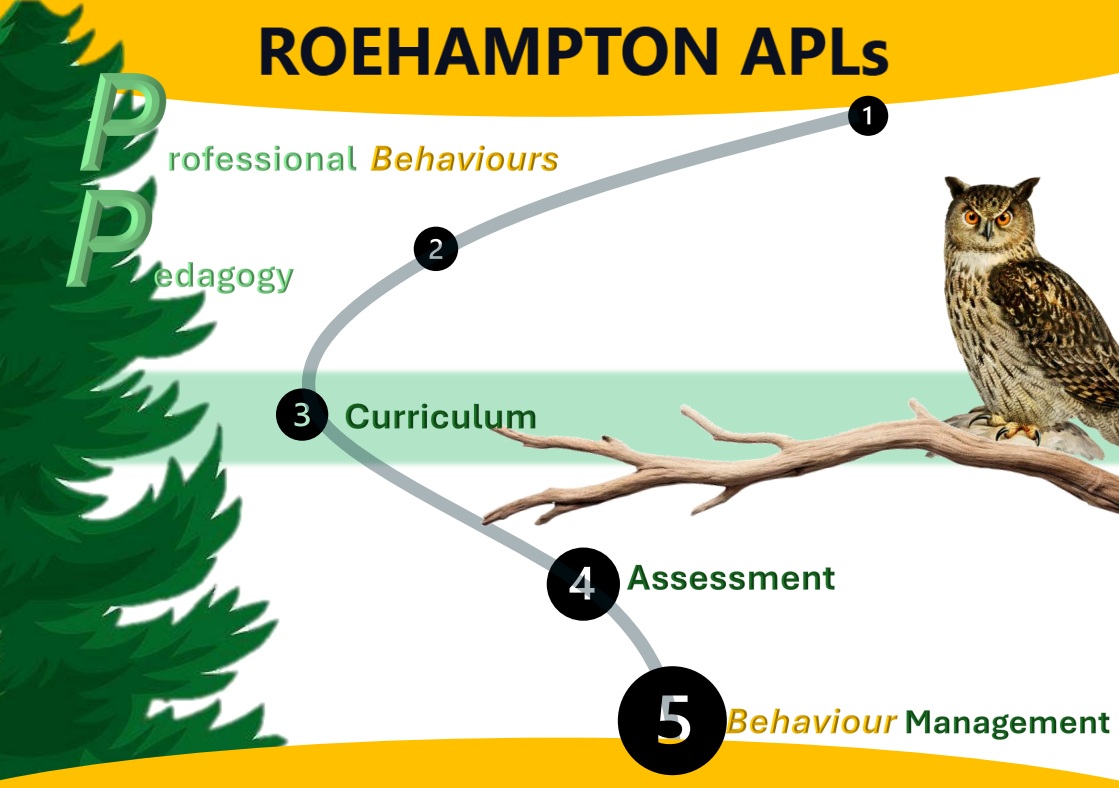
This poster helps to remember the five Areas of Professional Learning. They're easy to bring to mind: the first two areas begin with "P" and we start and end by thinking about behaviour. Given that everything in the APLs is covered by the Teachers' Standards, it might be thought that they are completely redundant. However, the Roehampton booklet states on page 37:
All observation comments must be related to the APL.Here, "observation" is referring to the school-based mentor and their observation of the student teacher. This stated requirement is why I have chosen to explain what the APLs are. The booklet mentions the APLs here, listing a number of "reflective questions" that allow the student teacher to explore the APLs. It should be noted that there is not actually any location where the APLs are characterised - where Roehampton's unique understanding of, say, Pedagogy, is explained. We only have the five titles for the five areas. They really do seem to be nothing but an abstraction on top of the Teacher's Standards and the government's Early Career Framework.
Snap Reflection Sheet
The template for the lesson plan has a "reflection" area built in. The problem is that this is no where to be seen at the point in time most optimal for reflections to be made.
The optimal time to reflect (or at least start reflecting) is right after the lesson, while the experience in fresh in the memory.
However, the lesson plan is an electronic document. There may be no computer nearby and there may be no internet access. So, the reflections are unlikely to be recorded.
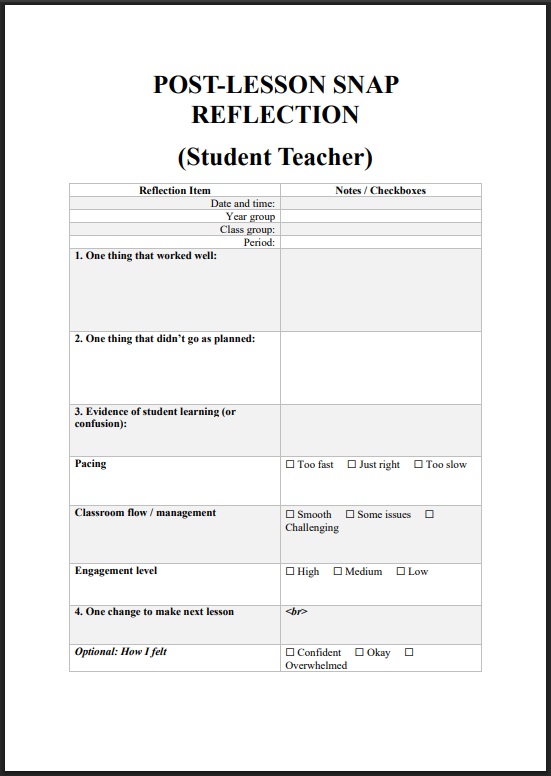
The solution to this is physical documents - slips of paper - known as "snap reflection sheets". These can be filled in within minutes, even in rugged environments, with no Internet access.
Domain: pgce.samgreencomputing.com
New Note
The template for the lesson plan has a "reflection" area built in. The problem is that this is no where to be seen at the point in time most optimal for reflections to be made.
The optimal time to reflect (or at least start reflecting) is right after the lesson, while the experience in fresh in the memory.
However, the lesson plan is an electronic document. There may be no computer nearby and there may be no internet access. So, the reflections are unlikely to be recorded.
The solution to this is physical documents - slips of paper - known as "snap reflection sheets". These can be filled in within minutes, even in rugged environments, with no Internet access.
Domain: pgce.samgreencomputing.com
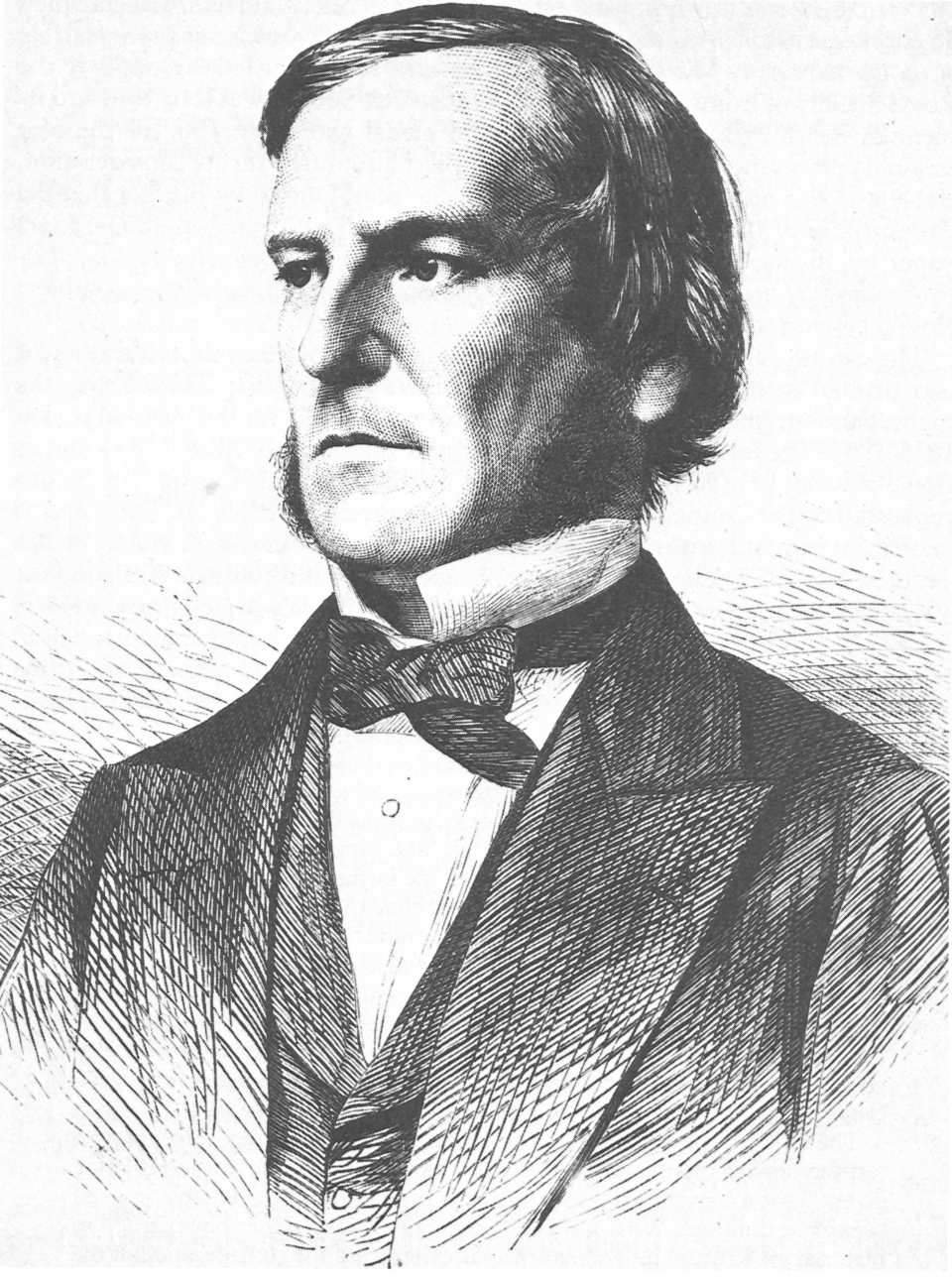
Computer Scientists





Domain: pgce.samgreencomputing.com